
Winn Dixie Application
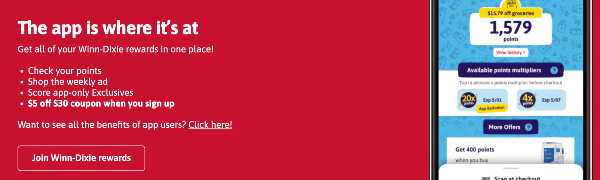
2The Winn Dixie App is designed for store shoppers to participate in the store's loyalty program ⭐️ and receive discounts and rewards for supermarket purchases.
By installing the app on their phone, customers have access to weekly special price offers and can accumulate points on their bonus card account.
How to Use Winn-Dixie Application
To use the service, the customer needs to download the application to their smartphone. After the application is installed, you need to launch it on your smartphone and register your account in the loyalty program - log in to your Winn-Dixie account .
To accumulate bonuses and get a discount you need to open the application and give the qr-code to the cashier at the checkout before paying for the purchase.
How to Download Winn Dixie Application
You can download the app for a variety of android and ios devices.
How to download the app on android:
To download for android you should do the following steps:
- Go to https://play.google.com/store/apps/details?id=com.biloholdings.mywinndixie.prod&hl=en&gl=US&pli=1
- Download and install on your smartphone
- Launch and log in
Afterwards, you can use it at the supermarket cash register.
How to download for iPhone:
Apple tablet and smartphone users can download as follows:
- Go to https://apps.apple.com/us/app/winn-dixie/id980051579
- Download and install it on your phone
- Register and sign in to an account
If the user has a registered account on the site, just log in.
Winn Dixie App not Working
If the program does not run on the phone you should check the internet connection.
If there are no problems with internet, you should try to remove the application and install it again on your phone, maybe there was an update and the program stopped loading for this reason.
If the user forgot the username and password to access the account, you should restore access through the recovery form on the official site of the store.
To do this, go to the site and click on «Login” in the top corner of the site. At the bottom of the login form, click on the «Forgot password» link. Enter your email and click «Submit». A new password will come in the email.
Rating